
Loyalty card in Apple Wallet or Google Wallet: at the checkout even without signal
You stand at the checkout at Rewe or Lidl, you want to collect points and get the digital receipt — and the store app does not load. With Gutscheinify you add your loyalty card once and export it to Apple Wallet or Google Wallet. Then it is ready at the checkout immediately, even without internet.
The problem: supermarkets often have no signal
Many supermarkets have almost no reception inside. But the store app needs the internet exactly then: it reloads the code, asks for an update or logs you out.
So you connect to the Wi-Fi, install the update and log in again. The queue behind you grows. Most of the time you give up and pay without the card — and the points and the digital receipt are lost.
The solution: the card lives in your wallet
Apple Wallet and Google Wallet show a saved card without internet, without an update and without a login. Gutscheinify turns your loyalty card into such a wallet card. At the checkout you open your wallet, show the code — done.
How it works in three steps
1. Take a screenshot of the code
At home, open your store app once and take a screenshot of the barcode or QR code of your loyalty card.
2. Add it to Gutscheinify
Under "Loyalty cards" you add the card and select the screenshot from your gallery. Gutscheinify reads the code. From now on you can already show the card directly in Gutscheinify at the checkout.
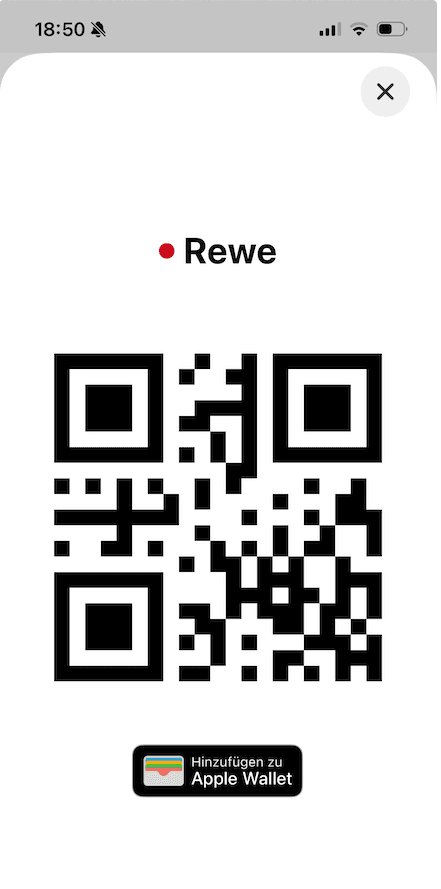
3. Optional: export it to your wallet
Tap "Add to Apple Wallet" (iPhone) or "Add to Google Wallet" (Android). The card then lives in your wallet and is one swipe away at the checkout.
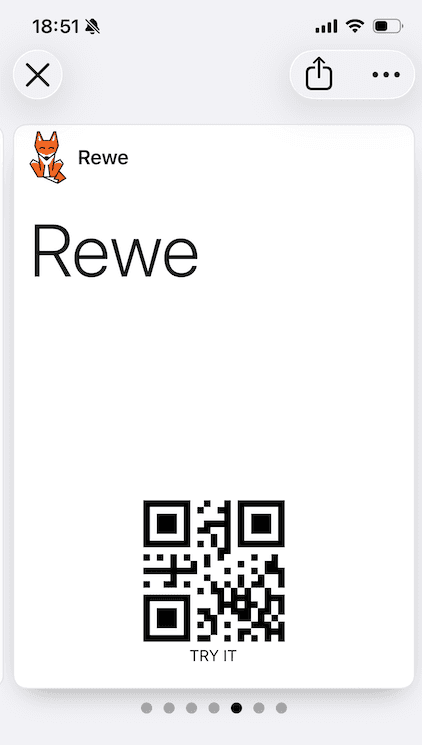
Bonus: every card with a code becomes a wallet card
The export does not only work for supermarkets. Gutscheinify turns every card with a barcode or QR code into a card for Apple Wallet or Google Wallet — even when the provider itself does not offer a wallet card. This makes the app your own wallet pass generator.
- Gym membership card
- Library card
- Loyalty cards from drugstores, DIY stores or furniture stores
- Cards from small shops without their own app
Gutscheinify supports QR code, EAN-13, Code 128 and Code 39. Apple Wallet has no EAN-13 and no Code 39. On iPhone these codes therefore show as Code 128, with the number below. Most checkouts read this. If a scanner does not read the code, the cashier can type in the number.
The catch: you still activate coupons in the store app
You earn most points and discounts with coupons that you activate in the store app. The wallet card cannot do that — it only shows your code.
Our tip: activate your coupons at home, for example at the start of the week, with Wi-Fi and without time pressure. At the checkout you then only show the card from your wallet. The activated coupons belong to your customer account, not to the app.
Frequently asked questions
- Does the wallet card work without internet?
- Yes. Apple Wallet and Google Wallet store the card on your phone. At the checkout you need neither mobile data nor Wi-Fi.
- Do I get points and the digital receipt with the wallet card?
- The wallet card shows the same code as the store app. The checkout recognises your customer account by the code — so you collect points and get the digital receipt as usual.
- Does this work with every loyalty card?
- It works with every card that has a fixed barcode or QR code — also with cards that have no store app, for example from your gym. If an app creates a new code each time you open it, the screenshot does not work permanently.
- Is this available for iPhone and Android?
- Yes. On iPhone you export the card to Apple Wallet, on Android to Google Wallet.
- Does the wallet export cost anything?
- No. The export is free. You can store up to 10 loyalty cards for free forever.
Your loyalty card always at hand
Gutscheinify is free for iOS and Android.


Note: This text was created with AI assistance and editorially reviewed before publication.